2BIT || ! 2BIT 👨‍💻
  • Home
  • Blog
  • About
  • Social
  • Affiliate ​Store
  • Home
  • Blog
  • About
  • Social
  • Affiliate ​Store

Monitoring Azure DC/OS microservices on terminal

8/29/2018

 
Picture
If you like your realtime logs monitoring on terminal from anywhere while using your favourite searching and colouring tools like me, then you must read this.
Azure DC/OS is a great tool, but getting the logs from each microservice instance using the dashboard is slow and complected.
So for the rescue here comes dc/os CLI.
This command line utility will make you life much easier in just a couple of steps
  1. First ssh into your master dc/os node [help!]
  2. Install dc/os CLI like this.
  3. Then just type 'dcos task log <your-micro-service-name-here>  --follow'
    1. This will aggregate logs from all instances of this service.
  4. To see logs of the master just type 'dcos node log --leader --follow'
  5. To lean some more cool commands - read here. here and here

Good luck  and happy debugging ... :)
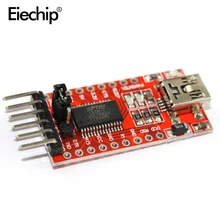
AliExpress.com Product - Free shipping 1pcs/lot New FT232RL FT232 USB TO TTL 5V 3.3V Download Cable To Serial Adapter Module For Ardui USB TO 232

Comments are closed.
    AliExpress.com Product - Free shipping! Microcontroller learning kit starter and proficient 24 interactive lessons for arduino
    View my profile on LinkedIn

    Categories

    All
    ARDUINO
    ELECTRONICS
    Embedded
    Raspberry Pi
    STM32F103C8T6
    TOOLS

    RSS Feed

Don't forget 📝

If you like what your read and it helped you trough the development and professional 
​growing 
​journey, please subscribe and share.

Get in touch 👇